Why One Page Gets Cited by AI and Its Near Identical Twin Gets Ignored
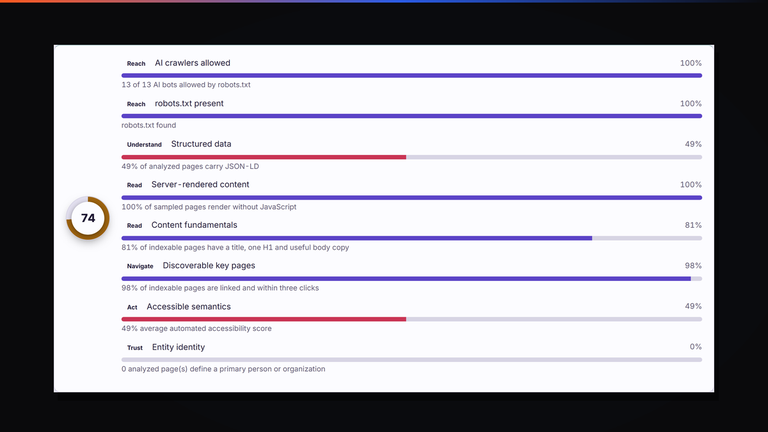
Two pages, same template, same quality, and only one of them ever gets named as a source. The eight weighted signals behind an AI readiness score...
Read the guide ›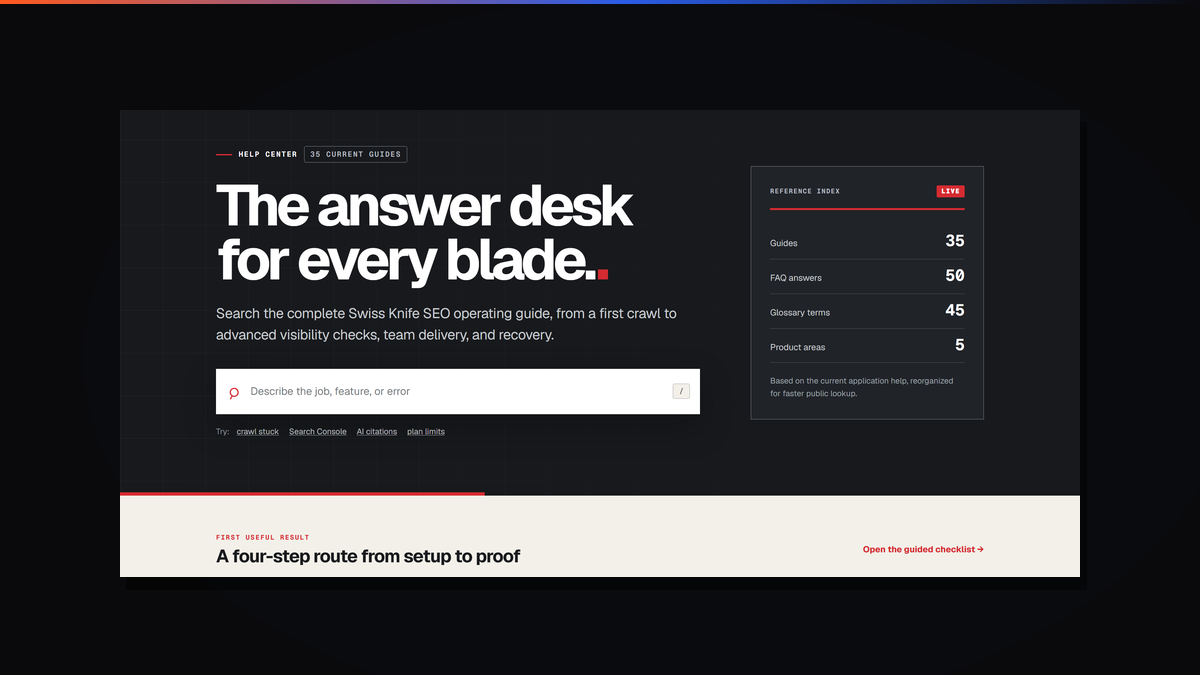
Most software help centers are a ticket queue wearing a wig. You search, you find three articles that do not match your problem, and the only real exit is a contact form that promises a reply in two working days.
We built ours the other way round. The Swiss Knife SEO help center is a public reference you can read end to end without an account, a trial or an email address. Nothing in it is gated.
The reference index on the front page is live rather than decorative, so these numbers move as the product does. At the time of writing it holds 35 guides, 50 FAQ answers and 45 glossary terms, grouped across 5 product areas.
The guides run from a first crawl through to the awkward parts: what to do when a crawl stalls, how to connect Search Console, how to read an AI citation check, what the plan limits actually mean in practice. The split matters more than the count. Guides are for a job you are trying to finish. The FAQ is for a question you can ask in one sentence. The glossary is for the moment somebody uses a term in a meeting and you would rather not stop the meeting to ask.
Forty five terms sounds like filler until you sit in a handover call. Our industry runs on shorthand, and a good half of it is ambiguous even between practitioners. Canonical, orphan page, crawl budget, render blocking, indexability, position weighted authority: every one of those means something specific, and every one of them gets used loosely.
Having a definition you can link to settles arguments quickly and stops a client nodding along to something they have not actually agreed to. We use it internally more than we expected to. If you want a longer form version of the same instinct, our explainers on search intent and schema markup do the same job at article length.
There is a straightforward commercial argument for gating documentation, which is that it makes trials look more valuable and captures email addresses. We think it mostly makes buyers nervous, and for a technical audience it backfires.
If you are evaluating a crawler, the honest question is whether it does the thing you need on the site you actually have. You cannot answer that from a feature grid. You can answer it by reading how the tool handles a stalled crawl or a JavaScript rendered page, and that means the documentation has to be open before you pay.
The same logic runs through the rest of what we publish. Nothing on our blog is behind an email wall either, and the first scan in the app needs no account.
Search by the job rather than the feature. The search field asks you to describe the job, the feature or the error for a reason: most people arrive knowing what went wrong, not what the module is called. Typing what you saw works better than guessing our naming.
If you are new to the platform, the guided checklist walks a four step route from setup to proof, which is a better first hour than reading guides at random. If you have inherited a site from another agency, start with the crawl guides rather than the reporting ones, because the first useful thing is usually an accurate picture of what is actually there.
It is also worth reading the plan limit pages before you scale a crawl up. Knowing where the ceilings sit avoids the specific frustration of starting a 40,000 URL crawl and discovering the boundary two thirds of the way through.
We keep the help center deliberately dry. It describes what the software does, including the parts that are awkward or limited, because documentation that oversells is worse than no documentation. If a module does not do something, the guide says so.
That standard is the same one we apply to client work. Our SEO service reports what a crawl found rather than what would sound impressive, and we will say early when a problem is not actually search. There is more on that in how we work.
If you want the product story rather than the manual, the main site covers what each module does, and the background on why we built the crawler explains the two things it does that rented tools did not.
For related reading here: what search engine optimization covers, local SEO, featured snippets and how to earn them, and SEO strategy for startups if you are building the function from scratch. Everything else sits in the SEO archive.
If you would rather ask a person than read a guide, that works too, and a person will answer.
Run a free scan in Swiss Knife SEO, the platform we built and use on every client engagement. No account needed for the first audit.
Two pages, same template, same quality, and only one of them ever gets named as a source. The eight weighted signals behind an AI readiness score...
Read the guide ›A walk through the first scan on swissknifeseo.ai: what the crawler reports, how issues get ranked by cost rather than count, and where the AI citation...
Read the guide ›We kept asking questions our tools could not answer, so we wrote our own crawler. It grew into a platform that scores internal links by where...
Read the guide ›