Why One Page Gets Cited by AI and Its Near Identical Twin Gets Ignored
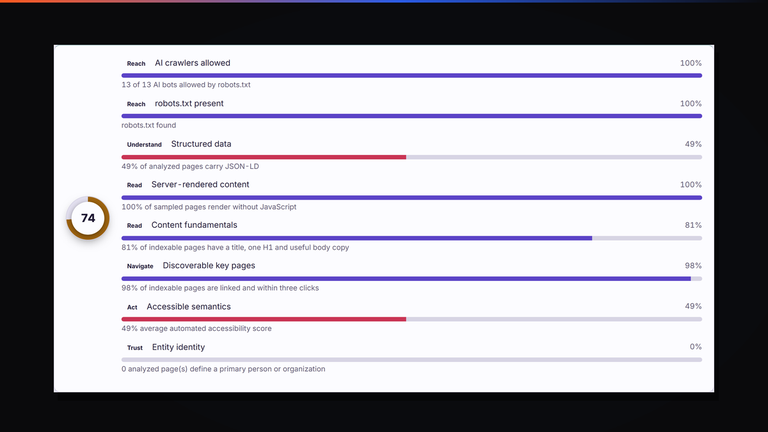
Two pages, same template, same quality, and only one of them ever gets named as a source. The eight weighted signals behind an AI readiness score...
Read the guide ›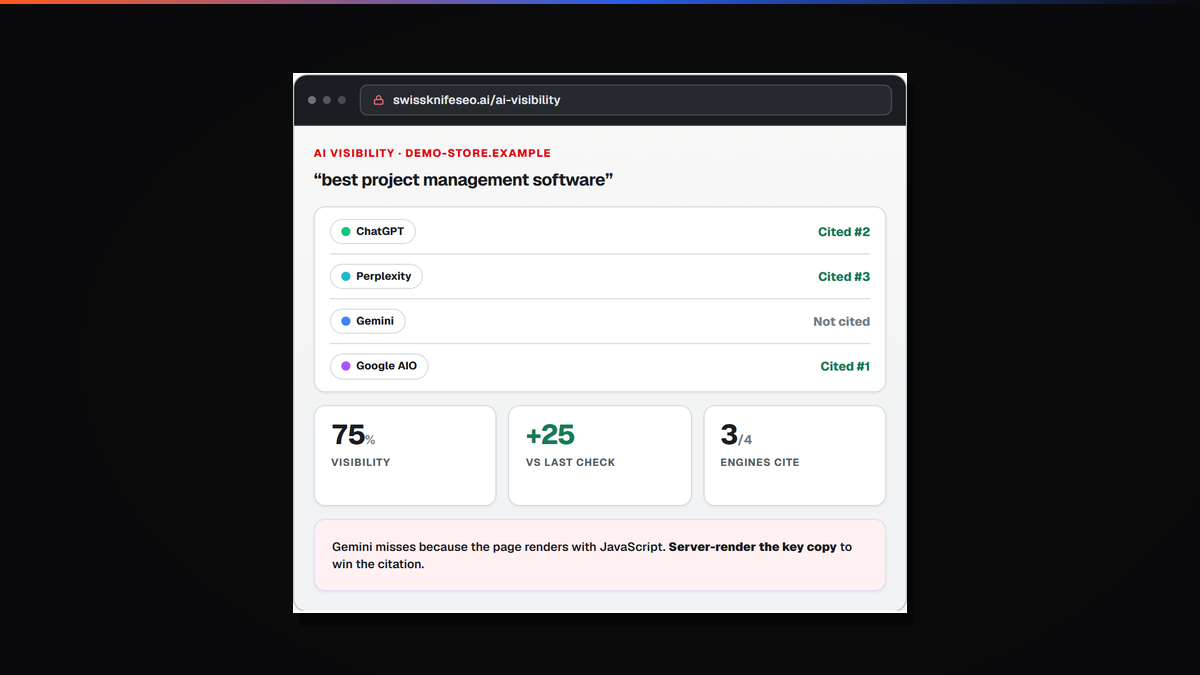
The application lives at swissknifeseo.ai, separate from the marketing site on purpose. The first scan needs no account and no card, which means the fastest way to find out whether any of this is useful is to point it at your own domain and read what comes back.
Here is what actually happens, and more usefully, how to read the result without drowning in it.
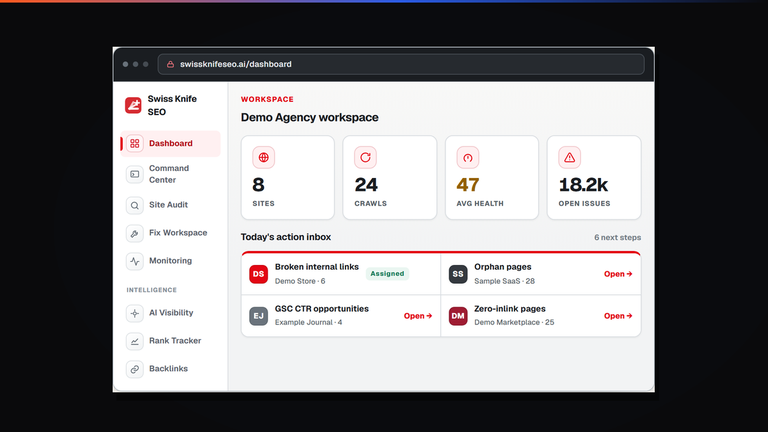
You give it a domain. The crawler walks the site the way a search engine does, following internal links, recording what each URL returns and building a map as it goes. A few thousand URLs typically finish in a couple of minutes. Large retail catalogs take longer, and the top tier goes to 250,000 URLs in one pass.
While it runs it is collecting the ordinary technical picture: status codes, redirect chains and how many hops each one costs, canonical tags and whether they point anywhere sensible, indexability, duplicate titles and descriptions, and Core Web Vitals. None of that is unusual. Every serious crawler does it, and if a tool does not, it is not a crawler.
The first thing worth knowing is that the issue list is ranked by what each problem costs you, not by how many times it occurs. This matters more than it sounds.
A crawl of a mid sized site will happily report 200 images with no width and height set. It will also report seven revenue pages with almost no internal links pointing into their body copy. Sorted by count, the images win and the seven pages sit on page four of the report. Sorted by cost, it is the other way round, which is the correct way round.
So start at the top and work down, and resist the urge to clear the biggest number first. The 200 image warnings are real, and they are a Saturday afternoon job. The seven starved pages are this week.
Each row opens the exact URLs behind it. That sounds obvious and is surprisingly rare: a lot of audit tools give you a severity, a count and a definition of the problem, then leave you to work out which pages are affected. If you cannot get from a finding to a list of URLs in one click, the finding is homework rather than a result.
The AI visibility panel checks whether four answer engines cite you for the prompts you care about: ChatGPT, Perplexity, Gemini and Google AI Overviews. You get a per engine result rather than a single score, because they disagree constantly and the disagreement is the interesting bit.
When three engines cite a page and one does not, that is a diagnosis rather than a scoreboard. The usual reason is mechanical. The page renders its content with JavaScript that the missing crawler never executes, or a robots rule blocks the specific bot, or the answer lives below a chunk of boilerplate that a model reading the top of the page never reaches.
The app reads that against your crawl and says which of those it thinks is happening. That fusion is the reason we built this rather than renting it, and there is more on that in the background on the platform.
Being missing from an AI answer is a quieter problem than losing a ranking. Nothing dips. No chart moves. You simply stop being one of the three sources a model names, and there is no notification for that.
The first scan needs nothing at all. It reads your site exactly as a search engine would, from the outside.
Connecting Search Console and Analytics read only is what turns the crawl from a list of technical observations into a ranked queue. Once the app can see which URLs earn clicks, a broken canonical on a page nobody visits stops competing for your attention with one on a page that brings in real traffic. Read only access is enough for everything diagnostic, and it is worth understanding what search intent your winning queries actually represent before acting on any of it.
Most people fall into one of three groups after a first scan.
If the findings are mechanical and your team can act on them, take the list and work it. That is the intended outcome and you do not need us. The help center covers the individual fixes.
If the findings are structural, meaning your site architecture or content is the constraint rather than a set of tags, a fix list will not get you there. That is closer to a rebuild or a content program than a technical sprint, and it is worth being honest with yourself about which one you are looking at.
If the findings are thin and your traffic is still flat, the constraint is probably not search at all. Pricing, product, trust or a checkout that loses people will not respond to any of this, and more visitors only make it more expensive. We would rather say that early than sell a retainer that cannot succeed.
It takes minutes, needs no account, and the findings are yours to keep either way. If you would rather talk it through afterwards, tell us what you are trying to grow and you will get a straight answer within a working day.
Related reading while the crawl runs: the six types of SEO that increase traffic, schema markup, featured snippets, local SEO, and the skills an SEO specialist actually needs if you are deciding whether to hire for this or outsource it. The rest is in the SEO archive and on the blog, and our SEO service page explains what handing it over looks like.
Run a free scan in Swiss Knife SEO, the platform we built and use on every client engagement. No account needed for the first audit.
Two pages, same template, same quality, and only one of them ever gets named as a source. The eight weighted signals behind an AI readiness score...
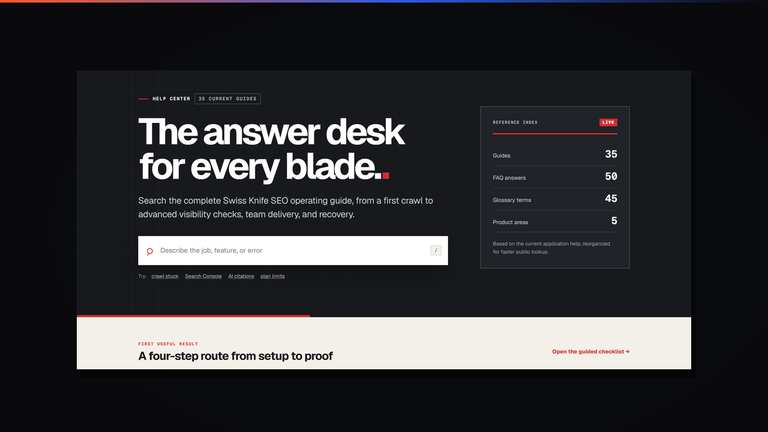
Read the guide ›The help center is a public reference, not a ticket queue. It carries 35 guides, 50 FAQ answers and 45 glossary terms, and you can read...
Read the guide ›We kept asking questions our tools could not answer, so we wrote our own crawler. It grew into a platform that scores internal links by where...
Read the guide ›